Keep crews, vessels, and parts in sync
Bring schedules, dependencies, and resource assignments together in the planning tools your team already uses.
Jinka for the energy sector
Energy operations run on data your systems already capture.
Jinka helps operators and service providers connect planning, reporting, and day-to-day workflows using the tools they already have. You get a clearer view of the work, without another SaaS subscription or a custom application to maintain.
From SCADA to insight: data engineering in offshore wind O&M
Offshore wind fleets generate years of operational data, most of it stranded on individual turbines. Connecting it across the fleet is what makes availability, downtime, and maintenance decisions clear.
Read story
Where we can help
Bring schedules, dependencies, and resource assignments together in the planning tools your team already uses.
Connect records from your existing maintenance and reporting systems. Make missing information and inconsistent definitions easier to spot.
Use familiar reports and workflows to track open work, outstanding documents, and customer commitments.

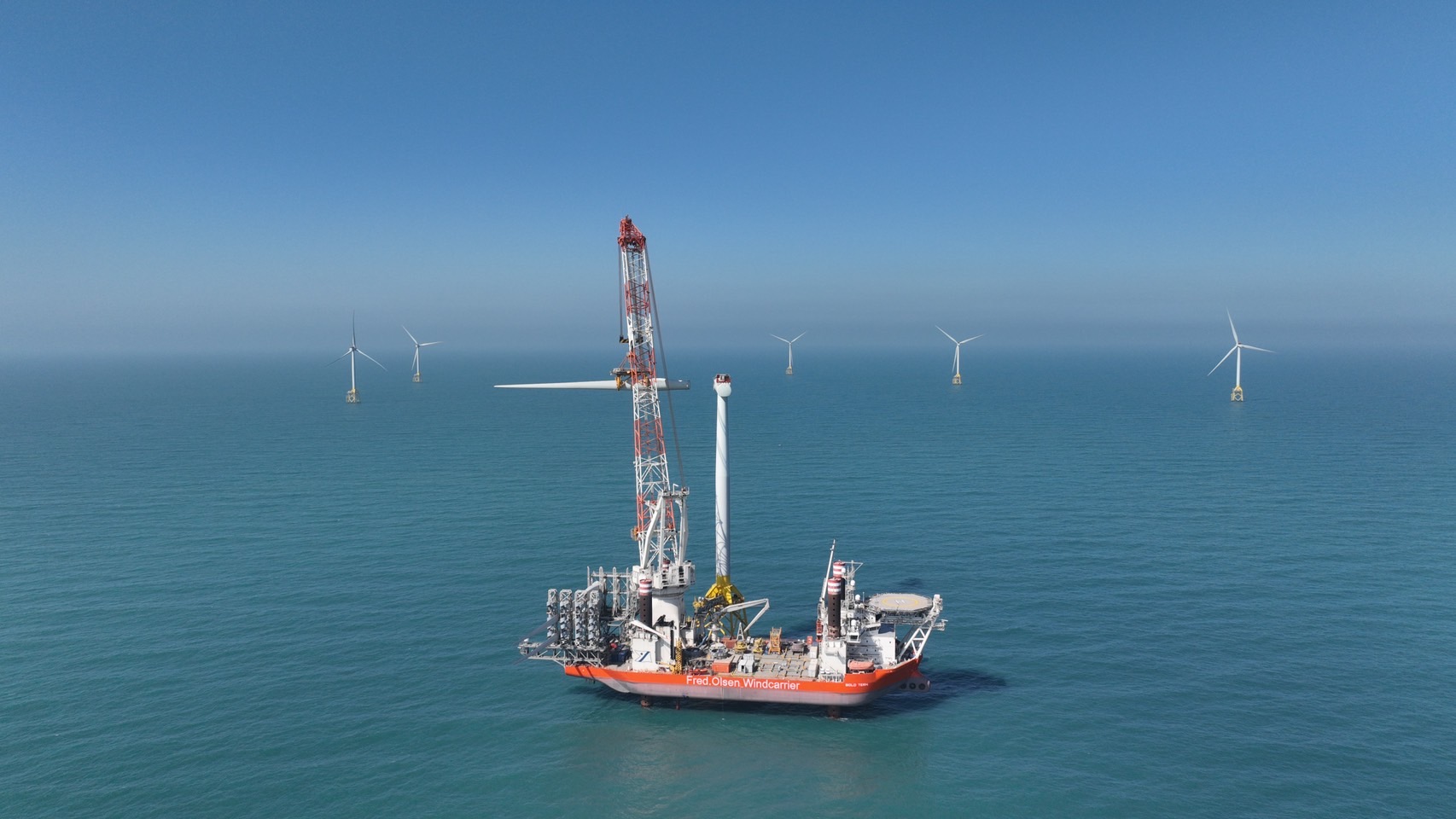
Client work for Taichung Offshore Partner
Jinka connected planning workflows within the tools the team already used, coordinating vehicles, cranes, and crews across offshore wind O&M, without another SaaS subscription or a separate platform to manage.
“From first contact to delivery, Jinka was fast, professional, and genuinely invested in finding the right solution. We needed a complex project management tool to coordinate multiple workstreams across our offshore operations. They understood the requirements quickly and delivered something that works the way we needed it to. If you're considering working with them, don't hesitate.”
 Peter OlesenCEO, Taichung Offshore Partner
We review your tools, access, and existing licenses with operations and IT, then agree on improvements that fit the environment your team already supports.
Define the priorities
Find where disconnected information and manual handoffs slow the team down, and which capabilities in your current tools can help.
Put the plan into practice
Connect the tools you already rely on and configure planning, reporting, and follow-up workflows around the way your team works.
Offshore and onshore energy operators, O&M and asset-management providers, developers and EPCs, and renewable energy equipment and material suppliers that want clearer planning and reporting from the tools they already use.
No. This work sits at the reporting and planning layer. We read from approved SCADA exports, historians, and maintenance records, and we do not connect to or change control or safety-critical systems. Where we read live data, we use the interfaces your vendors already support.
We work inside your environment and access controls, with least-privilege access to only what a task needs. Where possible we read from approved exports rather than moving data out, and we agree on handling, retention, and access before any work starts. Your data stays governed by your own policies and vendor agreements.
Our starting point is the software and licenses you already have. We check the available features and integrations during the assessment and agree on a scope that works within them. If a requested capability needs an additional license, we make that clear before you decide how to proceed.
The focus here is integrating and configuring existing tools, not introducing a separate custom application. We look for a maintainable workflow in your current environment and explain any limitations before agreeing on delivery.
We assess whether approved exports or existing interfaces can supply the reporting tools you already use. The scope depends on access, vendor permissions, data quality, and the capabilities of your current systems.
We agree on ownership with your operations and IT teams and provide documentation and knowledge transfer. Your existing tools still need their usual administration, but the aim is to avoid a separate software product for your team to support.
We usually begin with a short, scoped assessment of your tools, access, and the workflow you want to improve, with scope and cost agreed up front. It is a low-commitment way to see what is practical before any larger work, and from there you decide whether to continue.
A workflow that involves repeated copying, chasing, or reconciling information, plus the tools your team uses today. A shareable sample schedule or report helps us understand where a practical improvement could start.
Your next operational priority
Show us where planning, reporting, or handoffs take more effort than they should. We will help identify practical improvements within your current setup.
Talk through your workflow